
What your customers see, and when.
Hoptide gives every customer a private web page for their service. The page and its emails change as your crew works through the day. This is each change, in the order it happens, with the exact email that goes out.
1. Day one
Each customer gets a private link.
You add a customer, or paste your list, and Hoptide emails each one a link to their own page. The link is theirs alone: no account, no password, nothing to install. It works on any phone.
- Email subject
- Mike's Snow Removal now keeps you updated here
- On their page
- Your next service, your address, and who to contact.
2. The crew starts
They see where they are in the route.
When the crew taps Start route, every page on it updates with the stop count. Customers see how many stops are ahead of them instead of a minute estimate that cannot be kept.
- Email subject
- Mike's Snow Removal is out today. You are stop 7 of 20
- On their page
- 4 stops away. Your plow crew started at 6:02 AM.
9:41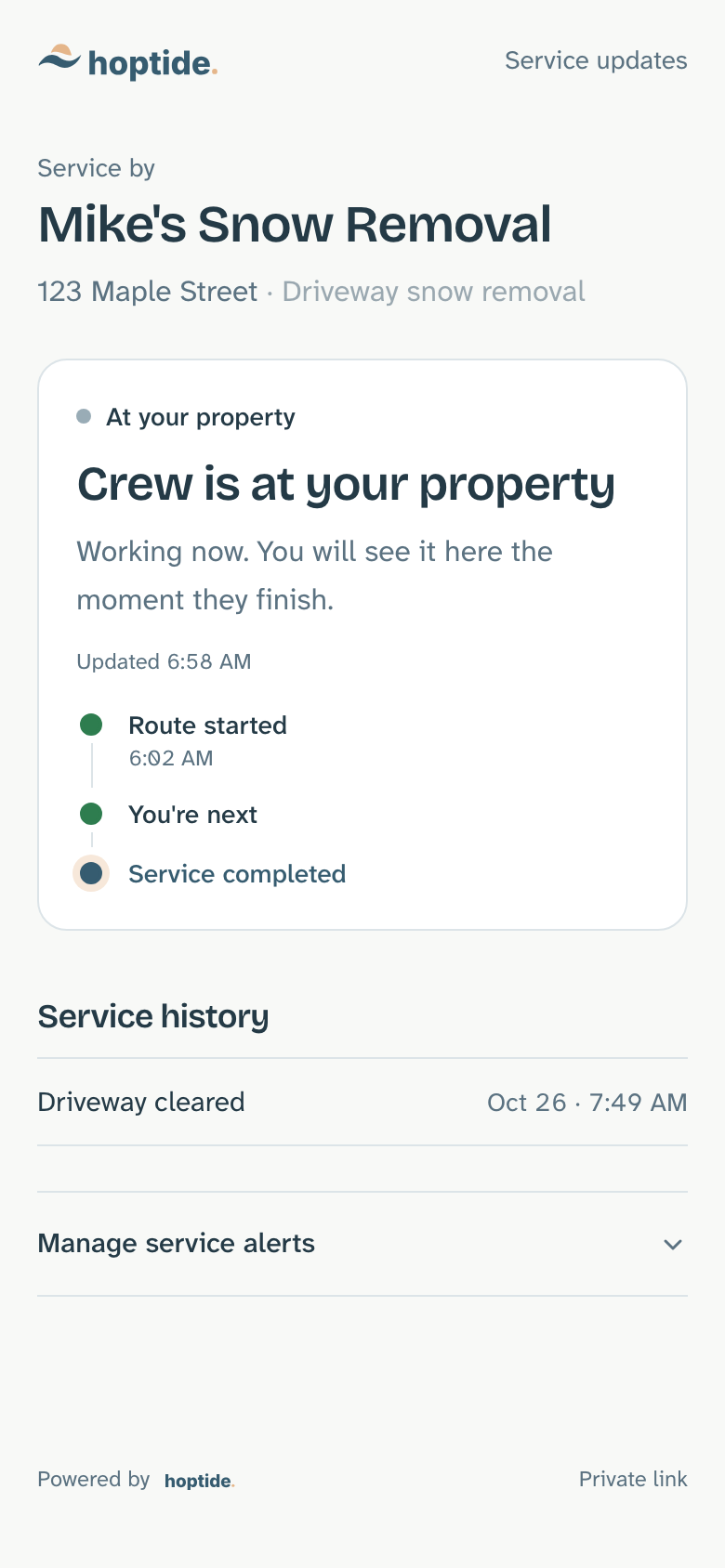
3. One stop before theirs
They hear they are next.
When the stop before theirs is marked done, their page changes and an email goes out. Appointment businesses get the same moment as an on-the-way notice when the crew taps On my way.
- Email subject
- You're next: Mike's Snow Removal is heading to you
- On their page
- Your crew is finishing the stop before yours. You're next.
9:41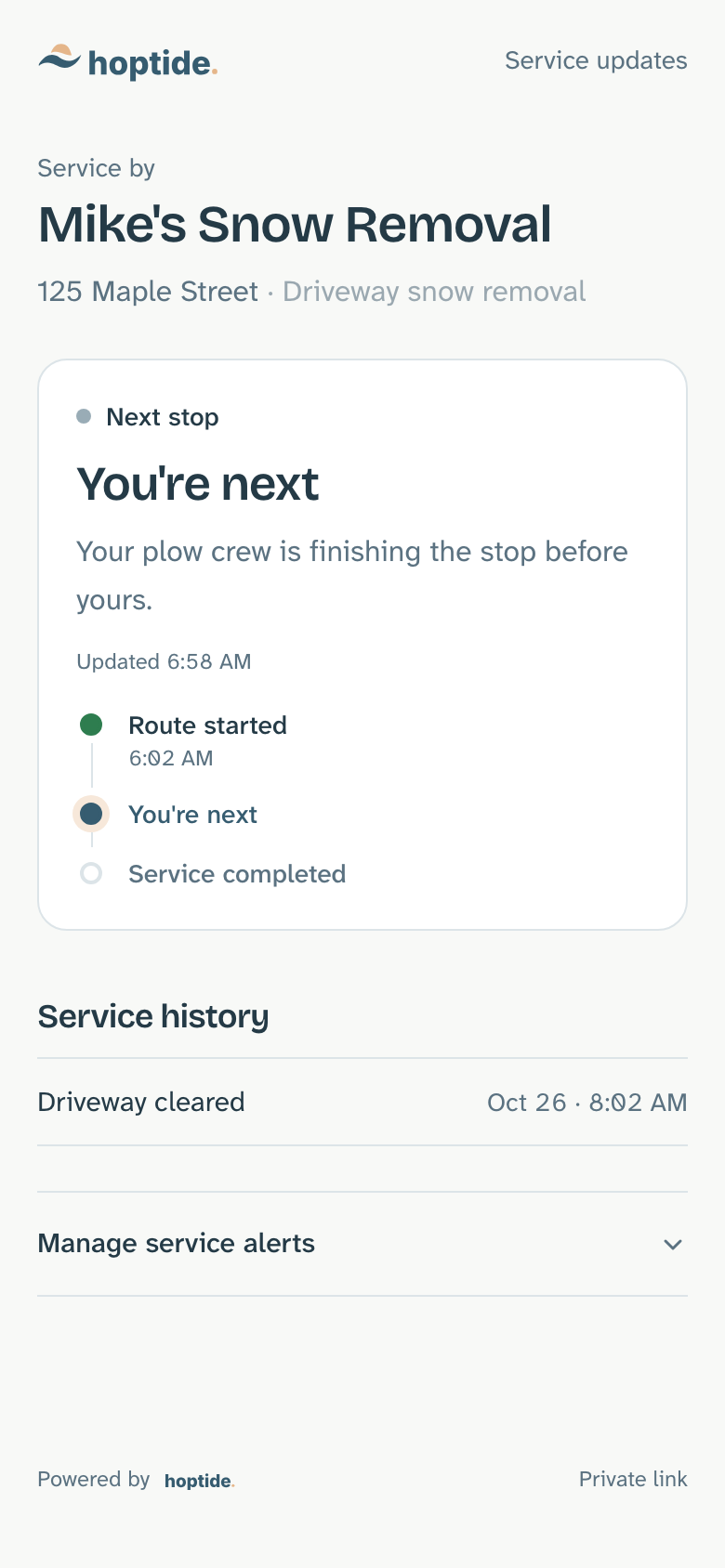
4. When plans change
They know you are running late.
One tap on Report delay from the truck updates every page that is still waiting and emails the customers who asked to hear about changes. Nobody has to call to find out.
- Email subject
- Your service is delayed, still planned for today
- On their page
- Your service is delayed. Still planned for today.
9:41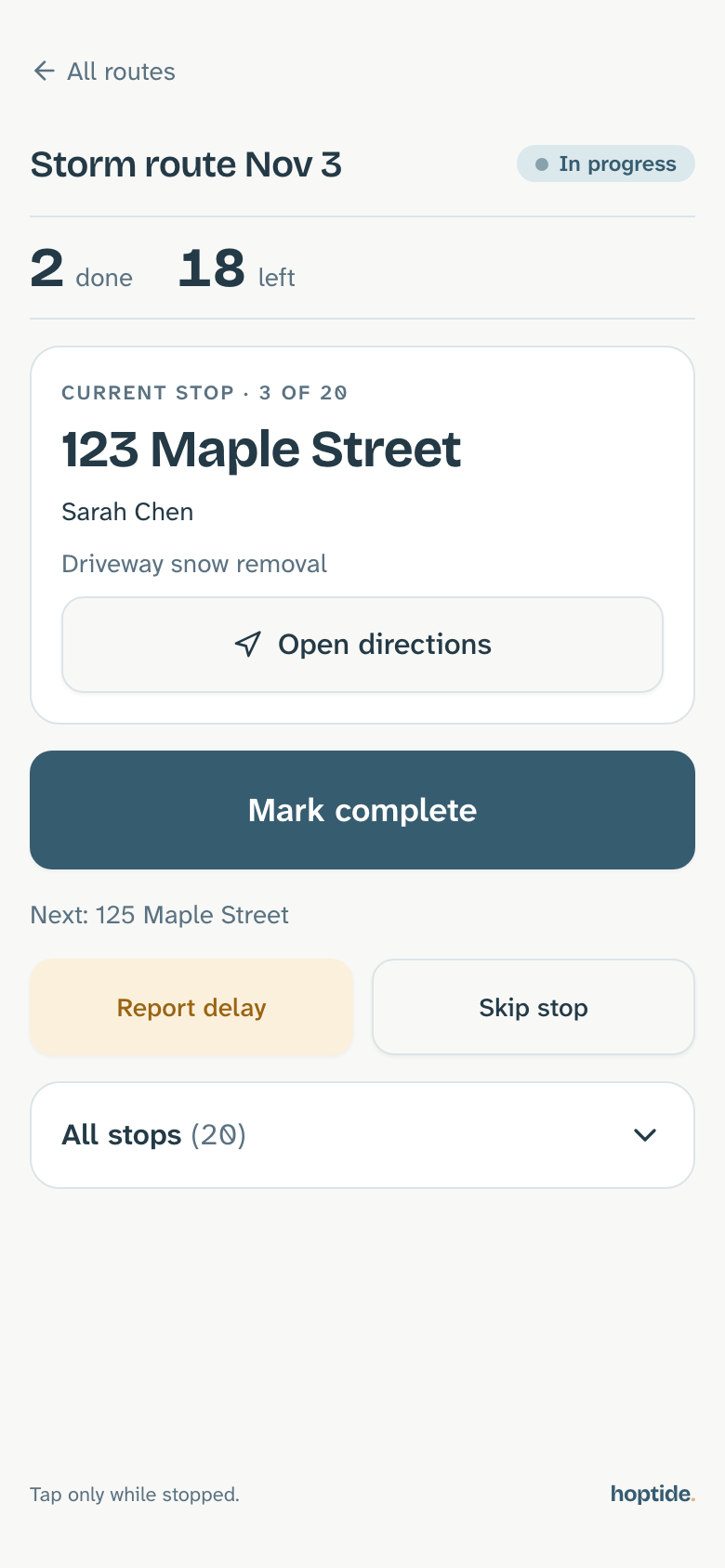
5. When the job is done
They get the time it was finished.
Mark complete sends one email with the time and moves their page to done. If a stop has to be skipped, the page says so and why, so the question never reaches your phone.
- Email subject
- Your driveway has been cleared
- On their page
- Your driveway has been cleared at 6:58 AM.
9:41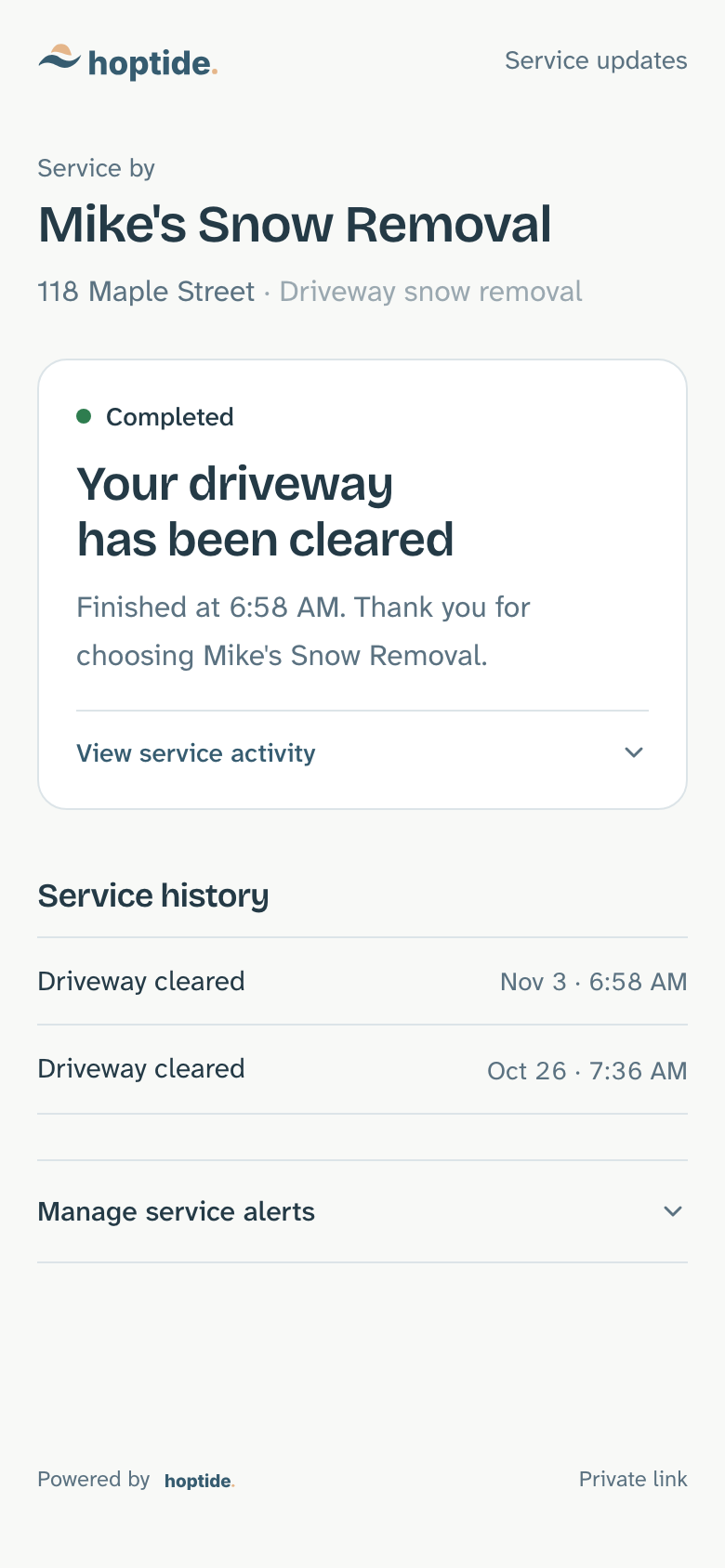
6. Every visit after
They can look back at any time.
The page keeps a record of every visit, with the date and time. "When were you last here?" is answered without a call, and the record is there for insurance questions too.
- On their page
- Driveway cleared · Oct 26 · 8:02 AM
9:41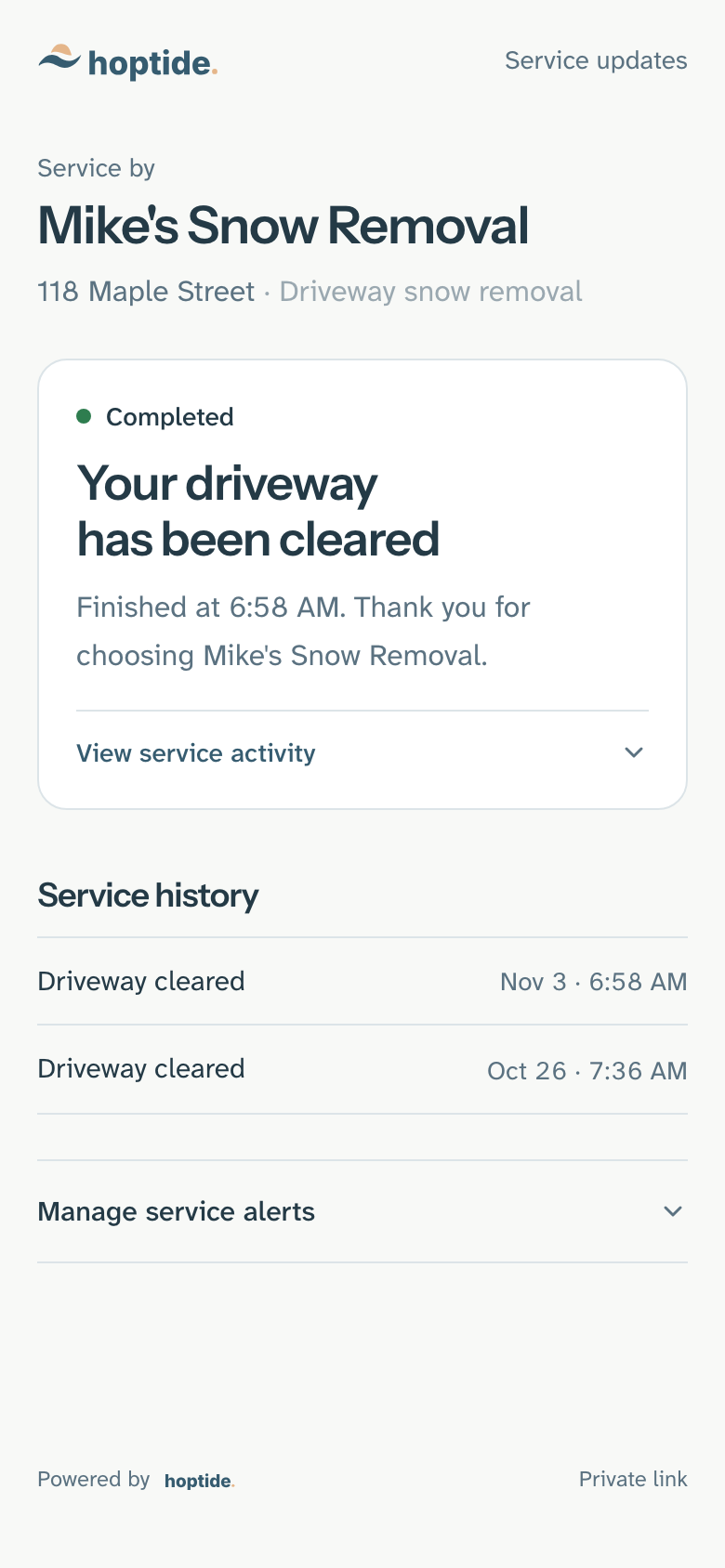

Five taps on the crew's phone. Nothing typed.
Updates come from the work itself. The crew uses the Drive screen to run the route; the customer pages and emails follow.
Start route
Every customer on the route sees the stop count. The "out today" email goes to each of them.
Mark complete
That customer gets the done email with the time. The next customer on the route hears they are next.
Report delay
Every customer still waiting sees the delay on their page, and the ones who asked for change emails get one.
Skip stop
That customer sees the stop was skipped and the reason you chose. You can come back to it later in the day.
On my way
For appointments: the customer sees and hears that the crew is heading to them.
Email, and text for those who opt in
Every update goes by email today. Customers who opt in can also get them by text once texting is turned on for your business. The page itself needs neither: it is always current.
Customers choose what they hear
By default they get the done, delay and you're-next emails. At the bottom of their page they can switch any of them off, or ask for everything.
With Hoptide Answers, they can ask
On the Answers plan the page also answers questions from that customer's own records and the answers you approve. Anything it cannot answer comes to you.
Free with one customer. Then $39 a month for the whole business, or $69 a month with Hoptide Answers. Yearly is 10% off: $421.20 or $745.20 a year. No charge per customer or crew member.
FAQs
Do my customers need an app or an account?
No. Each customer gets a private link to their own page. It opens in any browser on any phone, with nothing to install and no password.
Which updates do customers get by default?
An email when the job is done, when their service is delayed, and when the crew is heading to them next. Customers can change which emails they get at the bottom of their page.
Does Hoptide send text messages?
Updates go by email today. Customers who opt in can also get them by text once texting is turned on for your business.
Do customers see my truck on a map?
No. They see where they are in the route, such as four stops away, and when the crew is heading to them. Hoptide does not track your location.
How do I get my customer list in?
Paste a list or upload a CSV. Hoptide picks out names, addresses, phones and emails, creates a page for each customer, and emails the links in one go.
What does it cost?
Free with one customer. $39 a month for the whole business, or $69 a month with Hoptide Answers. Paying yearly takes 10% off. No charge per customer or crew member.
Spend more time on the work. Less time answering questions about it.
Try Hoptide with one customer and watch their page change as you work.